University of Baltimore
Merrick School of Business
Project 3
Treasure hunting in Windows 7
Go to the MISLAB. Log as student in your group Windows "machine" as follows:
- Group 1: MisLab 02
- Group 2: MisLab 04
- Group 3: MisLab 06
- Group 4: MisLab 08
- Group 5: MisLab 10
- Group 6: MisLab 12
- Group 7: MisLab 20
- Group 8: MisLab 22
You will be placed in a blank desktop with only an Internet Explorer and VM (Virtual Machine) Workstation icon, as shown below:

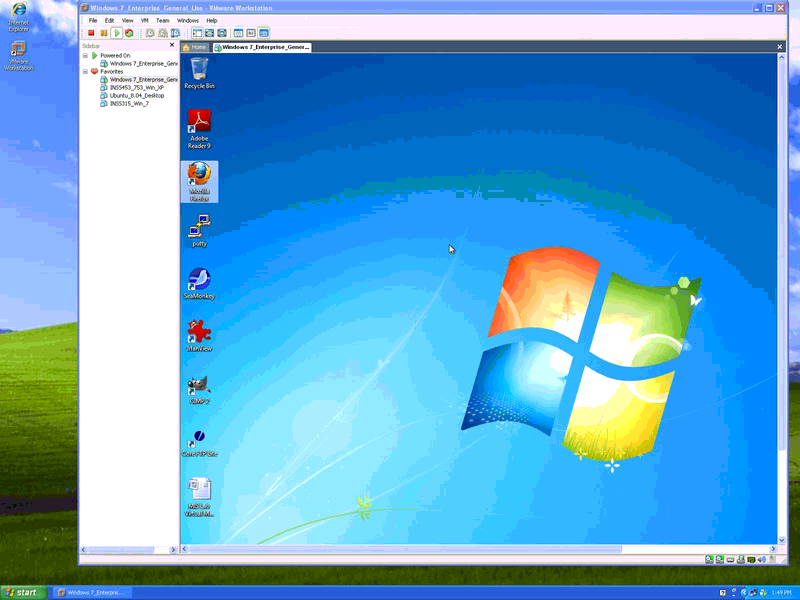
Double-click on the VM Workstation icon and you will be placed on the Windows 7 Enterprise General Use virtual machine, as shown in this image.
Press Control-Alt-Enter to make the virtual machine go full screen. Press Start, shutdown -- you want to shutdown this Windows 7 Enterprise General Use machine.
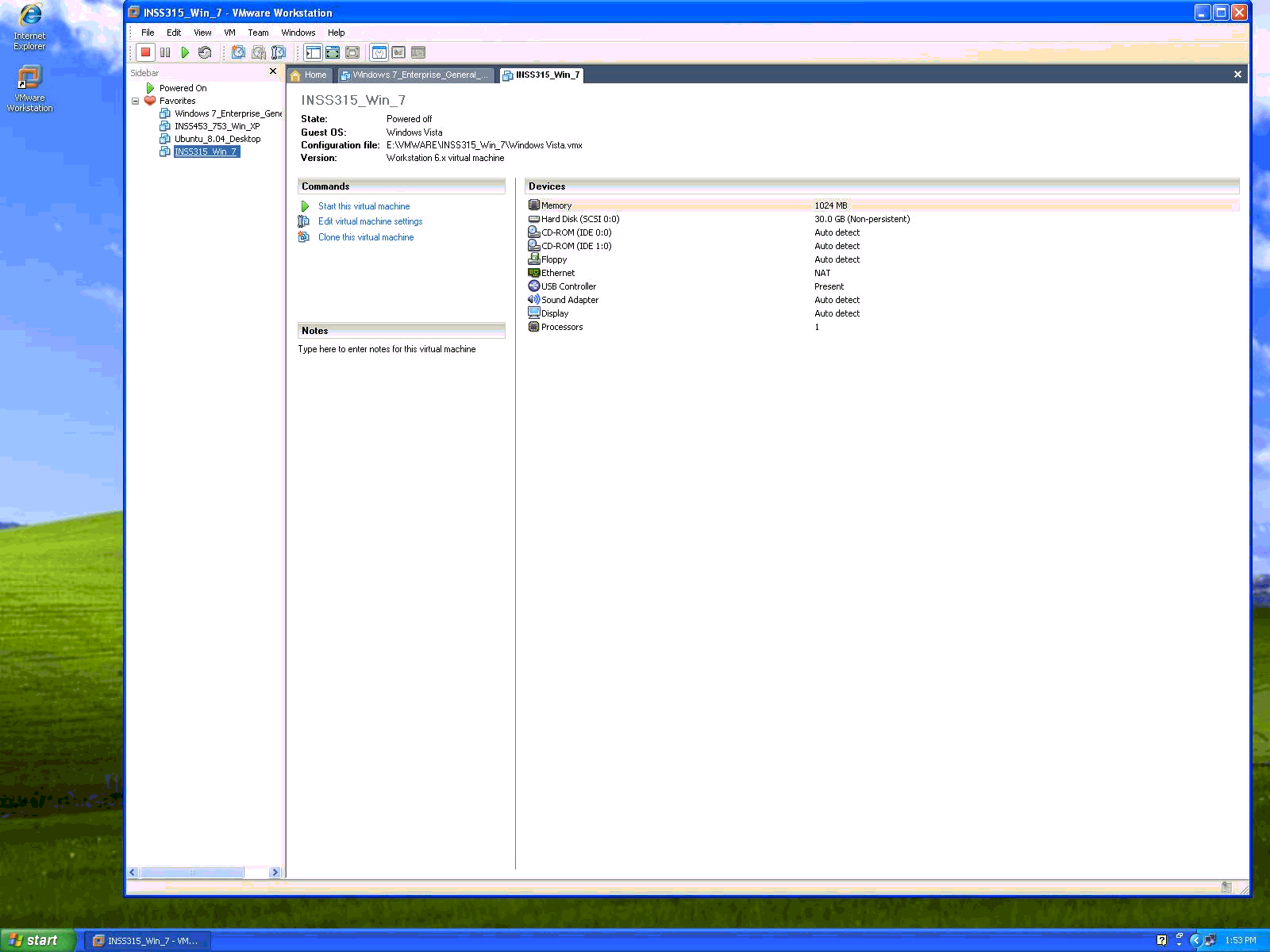
After you do this you will be placed at the VM Workstation Console and you should select INSS315_Win_7 as shown in this other figure.
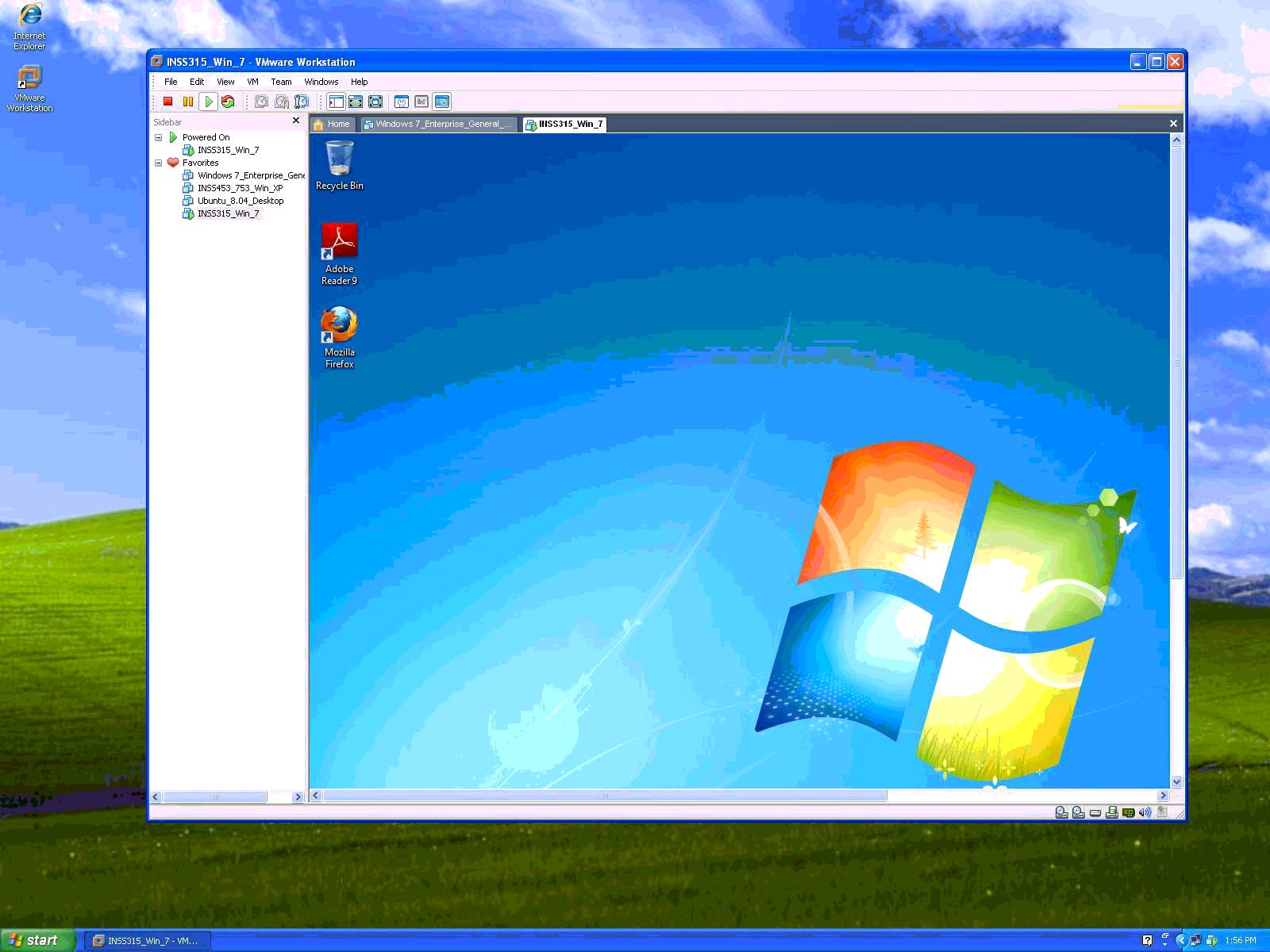
Click on Start this virtual machine to have the Windows 7 machine you will use in this project. After you start the machine you will see this desktop.
Click Control-Alt-Enter to make the INSS315_Win_7 machine full screen, as if you were using just a PC with Windows 7 Enterprise Edition. Proceed to do the following steps of the project:
- login with username student and password Groupx (Group1, Group2, etc). You will be asked to change the password. This new password will be the password that your group will use, do not loose it. Your group will have admin privileges in your vitual machine -- be careful.
- change the background of your desktop and setup a screensaver using 3D-text with the name of your group (do not set password protection in the screen saver) and create at least five shortcuts in your desktop (command prompt, Explorer, Control Panel, MyComputer and Computer Manager). Change the name of MyComputer shortcut to System.
- open Computer Manager, Event Viewer and explain at least three of the events you see listed there (use help to find some of the answers).
- do disk cleanup saves significant disk space in the MIS Lab machine? This article may help you. Show me.
- Run is not in the Start Menu, please add it to it. What could you use instead of Run, to run msconfig, without opening a command prompt?
- disable services not needed at the MIS Lab machine and show me. This slide may help you.
- add two gadget/applets to the top, righ side of the desktop. Show me. Please show me what interfaces other than Aero could be used in this PC.
- obtain system information (CPU, memory,etc). Show me where Windows 7 saves user profiles. Where were they stored in XP?
- what is the purpose of UAC prompts? Show me a prompt. What is flip and flip 3D, see if you can show me.
- open Control Panel and find two icons for applets not existing in XP. Show me and explain.
- open Computer Manager, Disk Management and explain how many hard-drives and partitions there are in the MIS Lab computer. Don't change anything.
- open Computer Management, Disk Management, click in a partition, and explain how you could resize this partition, creating an additional partition, without loosing data in Windows7. Take a screenshot and explain. Can you do the same in XP, using Disk Management?
- open MyComputer (System if you renamed it) and check the size of the page file and in what drive it is kept. Describe an easy way to defragment the page file (you do not need to do it).
- How can you setup folder view and options? Show me how you can make explorer show hidden files, file extensions, apply these options to all folders, but remember if in some folders you wish too see as icons (e.g. Control Panel).
- You think you may be having a driver problem. You decided to find what drivers do not have digital signatures as a starting point in your seach for the problem. Use Sigverif.exe to search you windows\system32\drivers directory to do it and show me. This Microsoft article may help you.
- open Command prompt and change the font size, the window size to 40 lines, and change the background color to white and text to black. Explain how can you copy and paste between a command pront window and notepad.
When is this due?
Group 5 will present (using PowerPoint) the results of this project in the April 13 class meeting.
All groups are supposed to submit a report by April 12.
Preparing and posting the report
- Place all your files of the project in one directory.
- You may find difficult sometimes to save some of the screens you see. If this is the case, please use a free software for screen capture you can download from Nonags.
- If you have problems capturing to your liking the reports, please use a free software from PrimoPDF to create a PDF file.
- create a Web page, using Word or a graphical HTML editor with your report including the screen captures or link to the PDF files.
- upload the Web page and your files to the UB Web space of one of the group members.
- Post the URL (Web address) of your group project report in the Project 3 tab in one of the group members ASSIGNMENTS folder in WebTycho.
This page is maintained by Al Bento who can be reached at abento@ubalt.edu
This page was last updated on March 20, 2010. Although we will attempt to keep this information accurate, we can not guarantee the accuracy of the information provided.