University of Baltimore
Merrick School of Business
INSS 453/753 - Internet and Network Security

Mini-project 1: footprinting, scanning and enumeration.
All mini-projects are due on Mondays by 11 PM.
Go to the MISLAB. Log as student in your group Windows "machine" as follows:
- Group 1: MisLab 02
- Group 2: MisLab 04
- Group 3: MisLab 06
- Group 4: MisLab 08
- Group 5: MisLab 10
You will be placed in a blank desktop with only an Internet Explorer and VM (Virtual Machine) Workstation icon, as shown below:

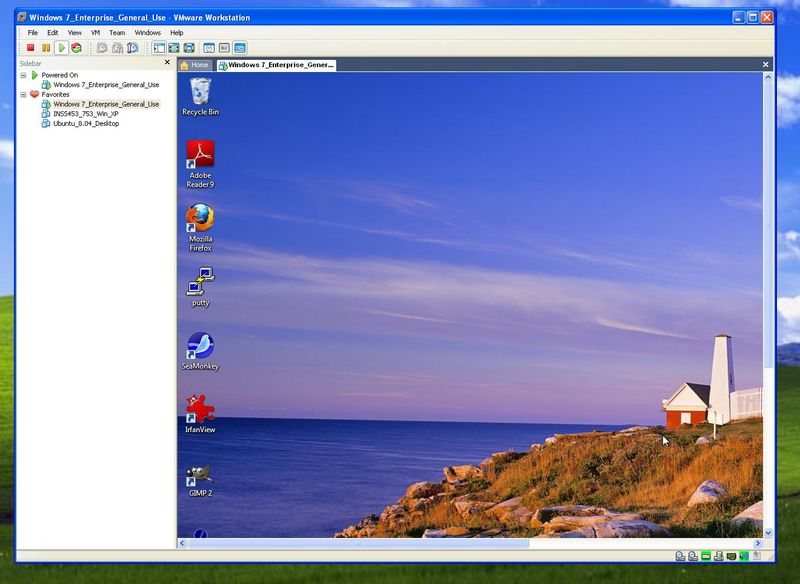
Double-click on the VM Workstation icon and you will be placed on the Windows 7 Enterprise edition virtual machine, as shown in this image.
Press Control-Alt-Enter to make the virtual machine go full screen. Press Start, shutdown -- you want to shutdown this machine.
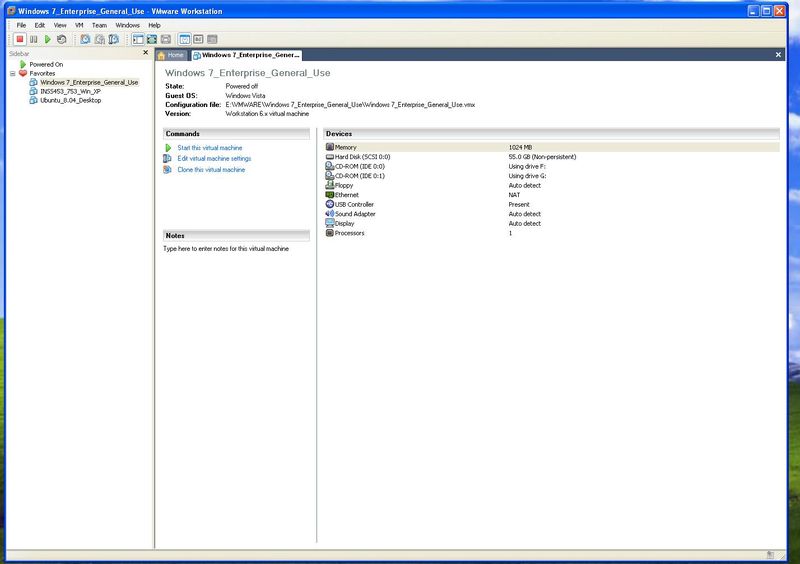
After you do this you will be placed at the VM Workstation Console and you should select INSS753 XP as shown in this other figure.
Click on Start this virtual machine to have the Windows XP machine you will use in this project. After you start the machine you will see this desktop.
Click Control-Alt-Enter to make the INSS753_XP machine full screen, as if you were using just a PC with XP. Proceed to do the following steps of the project:
- select an organization your group does not know much about and use the open search tools discussed in class and obtain basic information: Web page, location, basic financial numbers, etc. (Do not probe the organization, just collect information using Web search tools.
- For the same organization find who is its registrar, then do organizational, domain and network queries. You should find their IP block(s), network administrator, etc. (Again only use whois, not a direct probe to their sites).
- Now target the MISLab IP block (local, not public). Type IPConfig, at the command prompt, to see the IP number of your group machine. Use the first three quads followed by numbers ranging from 0 to 77 ( assume this to be the MISLab IP block). Do DNS interrogation (see this slide) and Scanning (see this other slide). Also find what OS is running at the organization you selected previously.
- Select one of the machines you found to be active at MISLab and try to create a null session to it and report the result. Using regedt32, or the Local Security Policy applet , check if your machine has Anonymous restricted or not. Finally, use ShieldsUp to test the ports and file sharing of a machine (home/office) of one of the group members and report.
- Do NetBIOS enumeration in the MIS Lab and see what information you can get (see this slide to know what tools to use).
- Do users and group enumeration in the MIS Lab. You can choose one or many machines to do it. Finally use netcat to do banner/application enumeration on a well known Web site.
- Use Google operators and search the main UB site and look for the word password. How many references have you found? Are any of these references a threat to UB security?
- Use Google operators and look for Windows Small Business Server 2003. It is known that these servers create a greeting page with "Welcome to ... " in the title.
- Use Google operators and look for a list of programs that run in Web sites (CGIs). Hint: look in the Google Hacking Database for a way to do it.
- Use Google operators and look for an interesting search in the Google Hacking Database that we have not seen in class or above.
Submitting the report
- Post your group project report in the Mini-project 1 entry of the Assignments folder of one of the group members in WebTycho.
- You should submit just one file per group in zip format.
- Place all your files of the project in one directory and use a free compression software from Nonags to create one file in zip format.
- You may find difficult sometimes to save some of the screens you see. If this is the case, please use a free software for screen capture you can download from Nonags.
- If you have problems capturing to your liking the reports, please use a free software from PrimoPDF to create a PDF file.
This page is maintained by Al Bento who can be reached at abento@ubalt.edu
This page was last updated on September 3, 2009. Although we will attempt to keep this information accurate, we can not guarantee the accuracy of the information provided.